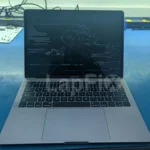
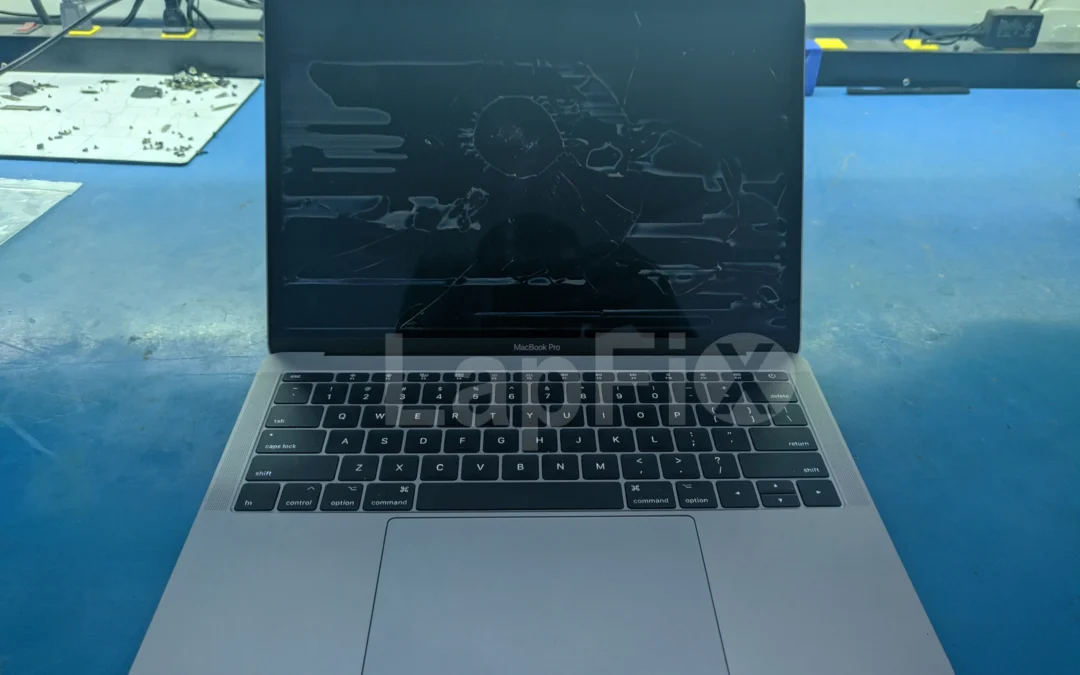
The customer’s description was simple: the MacBook powered on and played the startup chime, but nothing appeared on the screen.
We connected power and heard the chime right away. At first glance, the display looked completely black. When we changed the viewing angle and looked closely through the reflections, however, a very faint Apple logo was visible.
That small detail changed the direction of the diagnosis.
The Mac was booting, and the LCD panel was producing an image. What it did not have was a working backlight. The cause could still have been inside the display, on the logic board or somewhere along the display circuit. In this 16-inch M1 Pro MacBook Pro, it turned out to be a heavily corroded lid angle sensor cable hiding beside the heatsink.
This repair is a useful example of why “MacBook turns on but has no display” is a symptom, not a diagnosis.
No display and no backlight are not the same failure
A MacBook screen has to create the image and illuminate it. If the LCD is producing an image but the backlight is off, the screen can appear completely dead in normal room lighting.
A simple flashlight test can sometimes reveal the difference. With the Mac running, shine a light across the screen at a shallow angle and look for a faint login window, Apple logo or desktop. If an image is visible, the computer is probably running and the problem is somewhere in the backlight path or the system controlling it.
That observation narrows the search, but it does not identify the failed part. A faint image can still be caused by:
- A failure inside the display assembly
- A damaged display flex cable or connector
- A backlight power problem on the logic board
- Liquid or corrosion affecting a related signal
- Incorrect lid-position information from the lid angle sensor
If there is no faint image, the list changes. The Mac may not be starting correctly, the LCD may not be receiving image data or the display itself may have failed. An external monitor can provide another clue, but it still does not replace an internal inspection and electrical diagnosis.
The first inspection showed signs of liquid
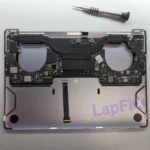
After disconnecting the battery and removing the bottom cover, we found a small liquid stain inside the MacBook. There was residue near the upper section of the computer, including a mark on the fan and around the edge of the heatsink.
Liquid does not always damage the part directly beneath the spill. It can follow a cable, collect beside a shield or settle into a narrow opening. A small stain on top may lead to much heavier corrosion somewhere that is not immediately visible.
Because this was a display complaint, we started with the obvious areas. This MacBook has two display connections at the logic board. Both connectors looked clean, their pins were intact and the display cables showed no visible damage. We checked them more closely and did not find evidence that they were responsible for the missing backlight.
The clue was on the other side of the heatsink, close to a narrow crevice where the lid angle sensor cable sits.
The damage was on the lid angle sensor cable
The lid angle sensor, often shortened to LAS, tells the Mac how far the display is open. The computer uses that information when managing sleep, wake and display behavior as the lid moves.
On this MacBook, the sensor’s logic-board connector looked healthy. The cable itself did not.
Under the microscope, we could see severe liquid damage across the small flex assembly. The exposed area was covered with corrosion, debris and damaged material. Several tiny components sit on this cable, along with the sensor electronics used to report the lid position. The damage was too extensive for us to trust the cable after cleaning.
This is an important distinction. The main display cables were fine, and the logic board did not show a failed backlight circuit. The problem was a much smaller cable nearby that was giving the Mac incorrect information about the lid.
When the system does not receive the correct lid-position signal, display behavior can be affected even though the LCD panel is capable of producing a picture. In this case, the corrupted sensor assembly was preventing normal backlight operation.
Why we could not simply install another cable
The lid angle sensor is not a basic cable with only copper traces from one end to the other. It contains electronics and calibration data that allow the Mac to understand the physical position of the display.
A replacement therefore has to do more than fit the connector. It must be calibrated correctly for the display assembly so that the Mac recognizes when the lid is open, partly closed and fully closed.
We removed the damaged LAS cable and compared it with a clean replacement. The difference was obvious even before magnification: the original cable had extensive contamination around the sensor area, while the replacement assembly and its components were intact.
We connected the replacement to our calibration tool and supplied power. Before calibration, the tool indicated that the sensor had not been programmed for this display. We then completed the calibration sequence and saved the position data to the replacement sensor.
Once programmed, we tested the sensor before reassembling the Mac. Opening the display changed the tool’s lid-state indicator. Closing it switched the indicator back off. That confirmed the sensor could now track the lid movement correctly.
The backlight returned
After installing the calibrated cable, we reconnected the MacBook and powered it on.
This time the result did not require a flashlight. The display illuminated normally, the Apple logo was clear and the Mac completed startup with a bright, even image.
We also checked the part of the repair that is easy to overlook: whether the Mac correctly responded as the lid moved. Lowering the display caused the screen to turn off as expected, and reopening it restored normal display operation. The replacement sensor was not only allowing the backlight to work; it was reporting the lid position correctly.
We inspected the rest of the logic board for additional liquid damage and did not find another area severe enough to require repair. In this case, the spill had traveled into one specific location and damaged the LAS cable without destroying the display or the main logic board.
What this repair tells us about MacBook no-display problems
The tempting repair would have been to replace the complete display. The screen looked black, so it would be easy to assume the screen had failed. A replacement display, however, would not have addressed the damaged sensor cable that was controlling the backlight behavior.
The opposite mistake is also possible. Because the Mac chimed, someone might assume the logic board was fine and skip inspecting it. Liquid can affect display power circuits, connectors and signal lines on the board even when the computer still starts.
The faint Apple logo gave us a direction. The internal inspection gave us evidence. The microscope showed the actual failure. Calibration and testing confirmed the repair.
That sequence matters more than the specific part. Lid angle sensor failures appear on several modern MacBook Air and MacBook Pro generations, but not every black screen or missing backlight is caused by the LAS cable. Replacing it based on the symptom alone would be guessing.
What you can safely check before arranging a repair
- Listen for signs of startup. A chime, fan activity, keyboard response or sound from notifications can indicate that the Mac is running.
- Check the brightness controls. Make sure the display brightness has not simply been turned down.
- Try the flashlight test. Look carefully for a faint image on the internal screen.
- Test an external display if one is available. A working external image can help separate a startup problem from an internal-display problem.
- Stop if liquid may be involved. Shut the Mac down, disconnect power and avoid repeated testing.
Do not open the MacBook or disconnect internal cables unless you have the appropriate tools and understand the battery-safety procedure for that model. Display connectors can be damaged easily, and the battery remains a power source even after the charger is removed.
If the Mac was exposed to liquid, repeated attempts to turn it on can make the damage worse. We documented another example in our 16-inch MacBook Pro liquid-damage recovery, where repairing the affected circuitry was also necessary to reach the customer’s data.
Watch the complete repair
The video below shows the faint Apple logo, the internal liquid evidence, the damaged lid angle sensor cable under magnification, the calibration process and the MacBook starting with a normal backlight after the repair.
Common questions about a MacBook that turns on with no display
Why can I hear the startup chime when the screen is black?
The startup chime indicates that the Mac has begun its startup process, but it does not confirm that the display, backlight or every section of the logic board is working. The computer may boot normally while an internal display circuit remains off.
How can I tell whether the MacBook has an image but no backlight?
Shine a flashlight across the screen at an angle while the Mac is running. If you can see a very faint Apple logo, login screen or desktop, the LCD is producing an image without normal illumination. This is useful diagnostic information, but it does not identify the failed component by itself.
Can a lid angle sensor cause a MacBook screen to stay dark?
It can in certain failure conditions. The sensor reports the position of the lid, and a damaged sensor or cable may send incorrect lid-state information. In the repair shown here, severe corrosion on the LAS cable interfered with normal backlight behavior.
Does a replacement MacBook lid angle sensor need calibration?
On supported modern MacBook models, the replacement sensor must be calibrated so the computer can interpret the lid position correctly. Installing the cable without completing the required configuration may leave the lid-detection function operating incorrectly.
Does a black MacBook screen always mean the display must be replaced?
No. The display assembly is one possible cause, but the failure may also be in a cable, connector, logic-board circuit or lid-position system. The correct repair depends on testing the Mac and locating the actual failure.
The result of this repair
This 16-inch M1 Pro MacBook Pro did not need a complete display or logic-board replacement. It needed the liquid-damaged lid angle sensor cable removed, a replacement calibrated to the display and the full lid behavior tested afterward.
That is why our MacBook Pro repair process begins with diagnosis. The symptom may be common, but the cause is not always obvious.
LapFix performs MacBook display, liquid-damage and logic-board repair in-house at our Alexandria, Virginia repair center. For customers outside the area, we also accept MacBooks through our nationwide mail-in repair service.